

Businesses today rely on software more than ever. Whether you're managing finances, communicating with customers, tracking inventory, or running marketing campaigns, the right digital tools can save time, reduce errors, and improve productivity. But what exactly is business software, and why has it become an essential part of modern organizations?
In this guide, you'll learn the business software definition and examples, explore the 6 types of business software, understand how business applications work, and discover the most used software in business today. Whether you're a student, entrepreneur, or business owner, this article will help you understand how software supports business growth and efficiency.
What Is Business Software?
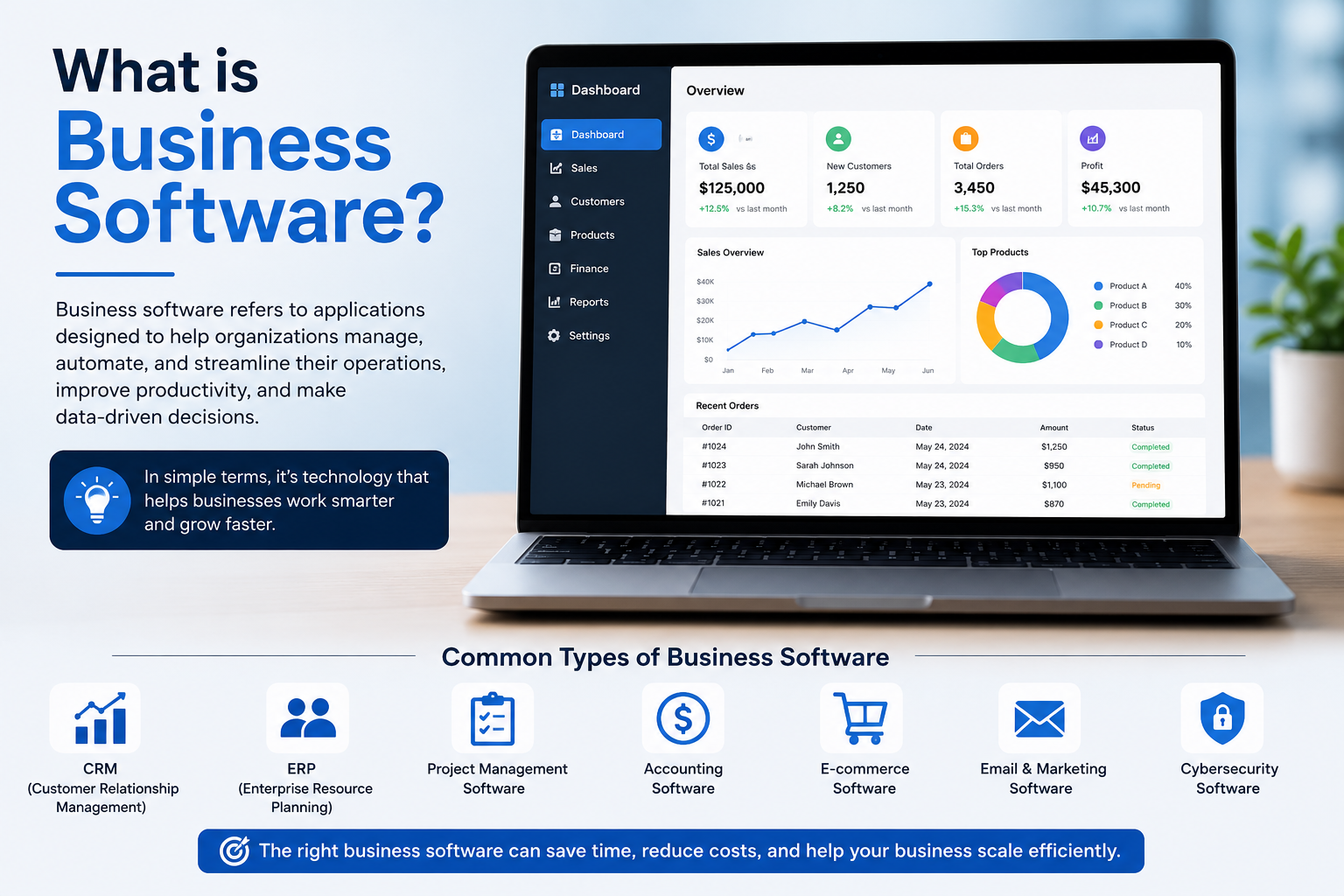
Business software is a type of computer program designed to help organizations perform, manage, and automate business activities. Unlike general-purpose software used for personal tasks, business software focuses on improving workflows, increasing productivity, and supporting daily operations.
In simple terms, business software helps companies work smarter by replacing manual processes with automated digital solutions. It can handle everything from accounting and payroll to customer management and project planning.
If you're wondering what is software, it refers to a collection of programs and instructions that tell a computer how to perform specific tasks. Business software is simply software created specifically for business needs.
Business Software Definition
A business software solution is an application or system developed to assist organizations in managing operations, data, employees, customers, finances, and communication more efficiently.
Examples include accounting software, customer relationship management (CRM) platforms, enterprise resource planning (ERP) systems, payroll software, and project management tools.
Why Business Software Matters
Every business generates large amounts of information. Managing this data manually is time-consuming and often leads to mistakes. Business software helps organize information, automate repetitive tasks, and provide real-time insights for better decision-making.
Some of the biggest advantages include:
Increased productivity
Reduced operational costs
Improved customer service
Better collaboration among teams
Faster reporting
Higher data accuracy
Enhanced security
Easier compliance with regulations
Improved scalability as the business grows
For example, instead of creating invoices manually, accounting software can generate them automatically, reducing both time and errors.
How Business Software Works
Business software collects information from different departments, processes it, stores it securely, and generates useful reports for decision-makers.
A typical workflow looks like this:
Business Data → Software Processing → Automation → Reports → Business Decisions
For example, a retail store records sales throughout the day. The software automatically updates inventory, tracks revenue, calculates taxes, and creates financial reports without manual calculations.
6 Types of Business Software
Businesses use different applications depending on their needs. Here are the 6 types of business software every organization should know.
1. Accounting Software
Accounting software helps businesses manage financial records, invoices, taxes, payroll, expenses, and profits.
Popular examples include QuickBooks, Xero, and FreshBooks.
Best for:
Small businesses
Freelancers
Accountants
2. Customer Relationship Management (CRM) Software
CRM software stores customer information, tracks leads, manages sales pipelines, and improves customer communication.
Popular examples include Salesforce, HubSpot CRM, and Zoho CRM.
Best for:
Sales teams
Marketing departments
Customer support
3. Enterprise Resource Planning (ERP) Software
ERP software connects multiple business departments into one centralized system.
It manages:
Inventory
Finance
Procurement
Manufacturing
Human resources
Supply chain
Popular examples include SAP Business One, Oracle NetSuite, and Microsoft Dynamics 365.
4. Human Resource Management Software
HR software helps businesses manage employee records, attendance, payroll, recruitment, and performance.
Popular examples include BambooHR and Workday.
5. Project Management Software
Project management applications organize tasks, assign responsibilities, track deadlines, and improve collaboration.
Popular examples include Asana, Monday.com, Trello, and ClickUp.
6. Inventory Management Software
Businesses that sell physical products rely on inventory software to monitor stock levels, warehouse operations, and purchase orders.
Examples include Zoho Inventory, Fishbowl, and Cin7.
What Is Business Application?
A business application is a software program created to perform a specific business function. While business software is a broad category, business applications usually focus on one task, such as managing customer records or processing payroll.
Examples of business applications include:
Payroll software
CRM systems
Accounting software
Inventory management software
Point-of-sale (POS) systems
Email marketing platforms
These are common business application software examples used across industries.
Business Software vs Business Application vs ERP
Understanding these differences helps businesses choose solutions that match their operational needs.
Cloud-Based vs On-Premise Business Software
Today's businesses often choose between cloud-based and on-premise software.
Cloud software has become the preferred option for many organizations because it offers flexibility, scalability, and remote access.
Common Features of Modern Business Software
Although different applications serve different purposes, many include similar features.
Common features include:
Dashboards
Reporting tools
Data analytics
Workflow automation
Cloud storage
Mobile access
User permissions
Notifications
File sharing
Third-party integrations
AI-powered recommendations
These features improve productivity while reducing manual work.
AI in Business Software
Artificial intelligence is transforming business software in 2026.
Many platforms now include AI capabilities such as:
Automated customer support
Predictive analytics
Smart reporting
AI writing assistants
Sales forecasting
Intelligent document processing
Automated scheduling
Workflow optimization
For example, AI-powered CRM software can identify high-value sales leads based on previous customer behavior, helping sales teams prioritize opportunities.
Business Software Examples by Department
Different departments use specialized software to improve efficiency.
This demonstrates the wide variety of business software examples used in everyday operations.
Most Used Software in Business
Some software solutions have become industry standards because of their reliability and broad feature sets.
Popular business software includes:
Microsoft 365
Google Workspace
Salesforce
SAP Business One
Oracle NetSuite
QuickBooks
HubSpot
Slack
Zoom
Monday.com
Asana
Trello
These are among the most used software in business because they help organizations improve collaboration, productivity, and decision-making.
How to Choose the Right Business Software
Selecting the right software requires careful planning.
Follow these steps:
Identify your business needs.
Define your budget.
List essential features.
Consider future growth.
Check integration options.
Compare multiple vendors.
Request product demonstrations.
Read customer reviews.
Test free trials.
Train your employees after implementation.
Choosing software based only on price often leads to long-term problems. Focus on value, scalability, and ease of use.
Common Mistakes Businesses Make
Many organizations invest in software without proper planning.
Common mistakes include:
Buying software with unnecessary features
Ignoring employee training
Choosing solutions that don't integrate with existing systems
Underestimating future business growth
Overlooking cybersecurity
Failing to measure return on investment (ROI)
Avoiding these mistakes can save both time and money.
Business Software for PC
Although cloud platforms dominate today's market, many organizations still prefer Business Software for PC due to security requirements or offline access.
Desktop business software remains popular for:
Accounting
Inventory management
Manufacturing
Engineering
Retail point-of-sale systems
Businesses operating in environments with limited internet connectivity often benefit from PC-based software solutions.
Future Trends in Business Software
Technology continues to reshape the software industry.
Emerging trends include:
AI-powered assistants
Low-code and no-code development
Hyperautomation
Predictive business analytics
Voice-enabled business applications
Robotic Process Automation (RPA)
Industry-specific AI platforms
Advanced cybersecurity
Internet of Things (IoT) integration
Smarter business intelligence dashboards
Organizations that adopt these innovations early are better positioned to remain competitive in an increasingly digital marketplace.
Conclusion
Business software has become an essential part of modern organizations, helping companies automate processes, improve collaboration, manage data, and make informed decisions. From accounting and customer relationship management to project planning and inventory control, the right software enables businesses to operate more efficiently and scale with confidence.
Understanding what is business software, the different types available, and how to choose the right solution empowers businesses of every size to invest in technology that delivers long-term value. As AI and cloud computing continue to evolve, business software will play an even greater role in driving productivity and innovation.
Frequently Asked Questions
1. What is business software in simple words?
Business software is a computer program designed to help organizations manage daily operations such as accounting, customer management, payroll, inventory, and communication.
2. What are business software examples?
Common examples include Microsoft 365, QuickBooks, Salesforce, SAP Business One, HubSpot, Asana, Slack, Trello, and Zoho Inventory.
3. What are the 6 types of business software?
The six common types are Accounting Software, CRM Software, ERP Software, HR Management Software, Project Management Software, and Inventory Management Software.
4. What is the difference between business software and business applications?
Business software refers to the broader category of software used for business operations, while a business application usually performs one specific function, such as payroll or customer management.
5. Which is the most used software in business?
Microsoft 365, Google Workspace, Salesforce, QuickBooks, Slack, Zoom, SAP Business One, and HubSpot are among the most widely used business software solutions.
6. Is cloud business software better than desktop software?
Cloud software offers greater flexibility, remote access, automatic updates, and easier collaboration. Desktop software may still be preferred for offline work or organizations with strict data control requirements.
7. How do small businesses choose business software?
Small businesses should evaluate their needs, budget, required features, scalability, security, integration capabilities, and customer support before selecting a solution.
Leave a Reply