

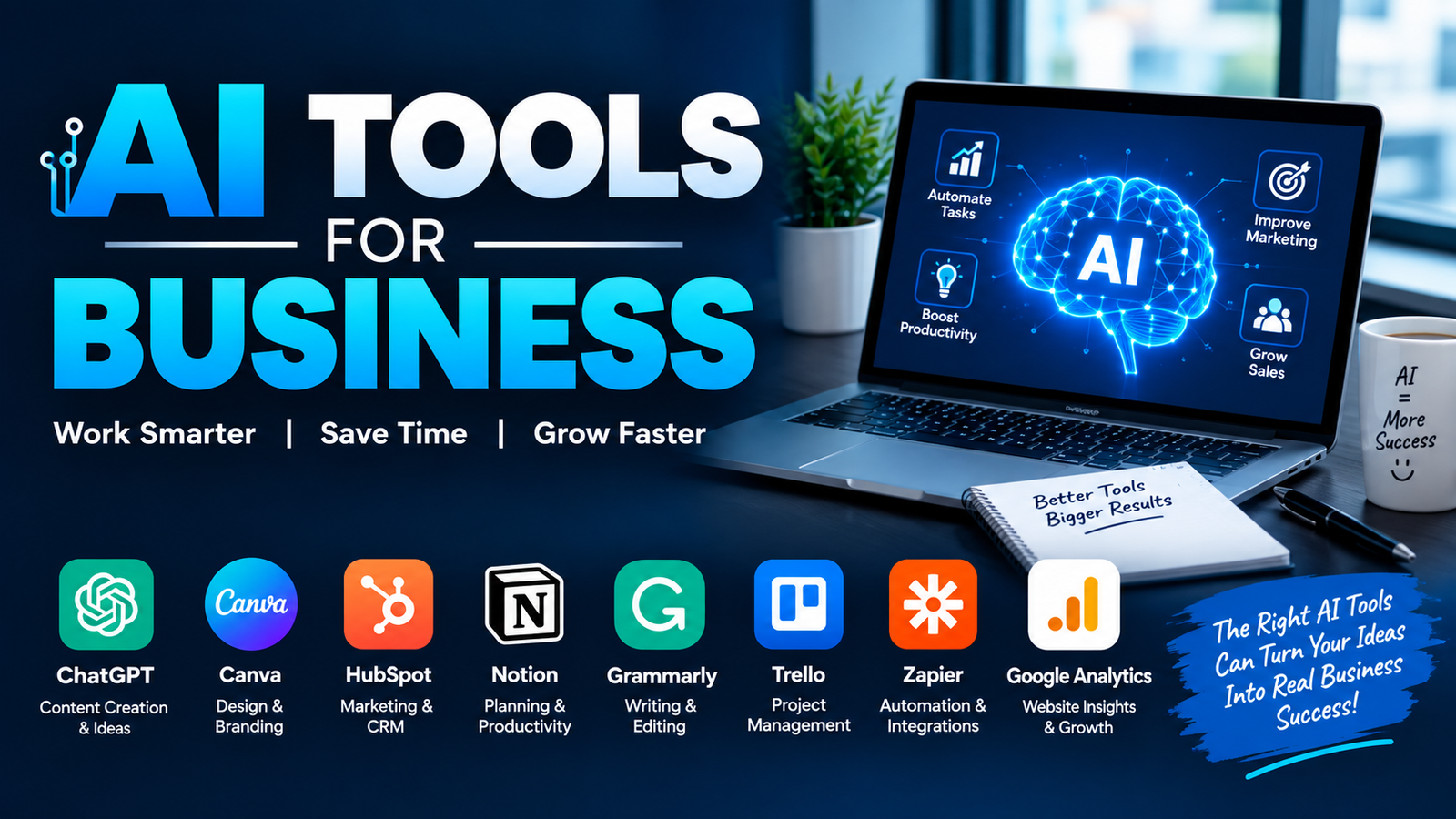
AI has moved beyond simple chatbots and content generators. Businesses now use artificial intelligence to automate repetitive tasks, analyze information, improve customer service, generate marketing content, manage projects, qualify leads, and support everyday decision-making.
But choosing the right tool can be difficult. A tool that works well for a marketing agency may not be the best choice for an e-commerce company, startup, sales team, or small local business.
The best approach is to start with a business problem and then choose an AI solution that can solve it efficiently. This guide covers the best AI tools for business, their practical use cases, major strengths, limitations, and the types of businesses that can benefit from them.
What Are AI Tools for Business?
AI tools for business are software applications that use artificial intelligence to perform or assist with tasks that normally require human effort. Depending on the platform, they can generate text, analyze data, summarize documents, automate workflows, communicate with customers, or help employees make decisions.
Some tools focus on one specific function, while others provide several AI capabilities in one platform.
For example, a company might use an AI writing assistant for emails, an AI chatbot for customer support, an automation platform to connect its applications, and an AI research tool to analyze market information.
The goal isn't to replace every human task. Instead, businesses can use AI to reduce repetitive work and allow employees to spend more time on activities that require judgment, creativity, and communication.
How We Selected the Best AI Business Tools
A large AI tools list is only useful if the recommendations solve real business problems. The tools in this guide are evaluated using several practical factors:
Business usefulness: Can the tool solve a meaningful business problem?
Ease of use: Can employees learn it without extensive technical knowledge?
Integrations: Does it work with other applications businesses already use?
Scalability: Can it support a growing team?
Value: Does its potential benefit justify its cost?
Automation: Can it reduce repetitive manual work?
Security: Does the business have appropriate controls for sensitive information?
Practical use cases: Can the tool be applied to real workflows rather than just experimentation?
Businesses should also test important tools before introducing them across an entire organization.
Best AI Tools for Business at a Glance
Features, pricing, and availability can change, so businesses should verify the current plan and capabilities before purchasing.
Best AI Tools for Business
1. ChatGPT: Best Overall AI Tool
ChatGPT is one of the most versatile AI solutions for business. Teams can use it for brainstorming, research, content drafting, data analysis, summarization, customer communication, and internal documentation.
A marketing team could use it to create campaign ideas, while a sales representative could use it to draft personalized outreach messages.
Its biggest advantage is flexibility. Instead of being designed around only one business function, it can support many different workflows.
Best for: General business productivity, research, writing, analysis, and brainstorming.
Watch out for: Important business information should always be reviewed by a human before it is used operationally.
2. Claude: Best for Business Writing and Research
Claude is particularly useful for handling long documents, research tasks, structured writing, and detailed analysis.
Businesses can use it to summarize lengthy reports, review documents, develop content briefs, organize information, or help employees work through complex written material.
Best for: Research, documentation, analysis, and long-form business content.
3. Microsoft Copilot: Best for Microsoft-Based Businesses
Businesses already using Microsoft's workplace ecosystem can benefit from AI features integrated into familiar productivity workflows.
Copilot can assist with tasks involving documents, email, presentations, spreadsheets, meetings, and other workplace activities, depending on the Microsoft product and plan being used.
Best for: Organizations heavily invested in Microsoft 365.
4. Zapier: Best for Business Automation
Zapier is useful when the problem isn't generating content but moving information between different applications.
For example, a business can create a workflow where a new lead enters a form, information is added to a CRM, the sales team receives a notification, and a follow-up process begins automatically.
This type of workflow can eliminate repetitive administrative tasks.
Best for: Connecting applications and automating repetitive processes.
5. Perplexity: Best for Business Research
Research often requires collecting information from multiple sources. AI-powered search tools can help employees discover information, summarize findings, and explore unfamiliar topics faster.
Perplexity is useful for preliminary market research, competitor research, product research, and finding information that needs further verification.
Best for: Research, market discovery, and information gathering.
6. Canva: Best for Marketing Content
Canva combines design tools with AI features that help businesses create presentations, social media graphics, promotional materials, and other visual assets.
A small business without a dedicated design team can use it to create consistent marketing materials without starting every design from scratch.
Best for: Social media, presentations, marketing graphics, and visual content.
7. Grammarly: Best for Business Communication
Professional communication matters when businesses send emails, proposals, reports, and customer messages.
AI writing assistance can help employees improve grammar, clarity, tone, and readability.
Best for: Emails, reports, customer communication, and professional writing.
8. ClickUp: Best for Project Management
AI features inside project management platforms can help teams summarize information, organize tasks, generate content, and improve workflow management.
Instead of keeping project information scattered across multiple systems, teams can use an integrated workspace to manage tasks and documentation.
Best for: Project planning, task management, and team collaboration.
9. Tidio: Best for Customer Support
AI-powered customer service tools can answer common questions, provide instant responses, and route more complicated conversations to human representatives.
For an e-commerce business, for example, an AI assistant could answer questions about shipping, product availability, or basic policies before escalating unusual issues.
Best for: Customer support, e-commerce, and website conversations.
10. Clay: Best for Sales Research
Sales teams often spend significant time researching prospects and collecting information.
AI-powered sales research and enrichment tools can help organize prospect information, identify potential customers, personalize outreach, and support lead-generation workflows.
Best for: Lead generation, prospect research, and sales enrichment.
11. Fireflies: Best for Meetings
Meetings generate valuable information, but employees don't always have time to manually document every discussion.
AI meeting assistants can transcribe conversations, summarize important points, and identify action items.
A sales team, for example, can use meeting summaries to keep track of customer requirements and follow-up tasks.
Best for: Meeting notes, summaries, and action-item tracking.
12. Notion: Best for Knowledge Management
Businesses create large amounts of internal information, including procedures, project notes, research, meeting records, and documentation.
Notion's AI capabilities can help teams organize and work with that information more efficiently.
Best for: Internal knowledge, documentation, project information, and team organization.
Best AI Tools by Business Department
Different departments have different AI requirements.
Marketing: ChatGPT, Canva, Grammarly, and other content or creative tools can support content production, research, campaign planning, and communication.
Sales: Tools such as Clay and AI assistants can help with prospect research, lead qualification, personalization, and follow-ups.
Customer service: AI chatbots can handle repetitive questions while human agents deal with complex cases.
Operations: Automation platforms can connect applications and eliminate repetitive data-entry tasks.
HR: AI can assist with drafting job descriptions, organizing information, employee communication, and administrative workflows, with appropriate human oversight.
Finance: AI can assist with document processing, reporting, categorization, and analysis, but financial decisions and sensitive information require appropriate controls.
Project management: AI features can help summarize discussions, organize tasks, identify action items, and maintain project documentation.
Best Free AI Tools for Business
Businesses don't always need to purchase expensive software immediately. A free AI tools list can be useful for testing whether a particular workflow actually provides value.
General-purpose AI assistants, design platforms, writing tools, research applications, and productivity platforms often offer free versions or limited trials.
However, "free" doesn't necessarily mean suitable for business use. Before entering confidential information into a free service, review its privacy policies, data handling practices, account controls, and usage limitations.
A sensible approach is to start with one free or low-cost tool, measure the results, and upgrade only when the business has a clear reason to do so.
Best AI Tools for Small Businesses
Small businesses usually need simplicity more than a large collection of enterprise features.
A useful starter setup might include:
One general AI assistant for research and writing
One design tool for marketing
One automation platform
One customer-support solution
One project or knowledge-management platform
The objective should be to solve the biggest time-consuming problems first.
For example, a five-person agency shouldn't purchase ten different AI subscriptions simply because they appear in an AI tools for business blog. It may get more value from automating lead management and improving content production with two or three carefully selected applications.
How to Choose the Right AI Tool for Your Business
Start with the problem rather than the software.
1. Identify the repetitive task
Find activities employees perform repeatedly. Examples include data entry, meeting notes, customer questions, reporting, research, or content formatting.
2. Estimate the potential savings
Determine how much employee time the process consumes each month.
3. Check integrations
An AI tool becomes much more useful when it works with the systems your team already uses.
4. Evaluate security
Consider whether the platform is appropriate for the type of information your employees need to process.
5. Run a small test
Test the tool with a limited workflow before introducing it across the business.
6. Measure results
Compare time saved, output quality, errors, costs, and employee satisfaction before and after implementation.
How Businesses Can Calculate AI ROI
AI should be evaluated as a business investment rather than simply a technology trend.
For example, imagine an automation tool costs $50 per month and saves a team 15 hours of administrative work.
If those hours represent $300 worth of employee time, the potential monthly benefit is substantially higher than the software cost.
The calculation can also include:
Reduced errors
Faster customer response
Additional sales opportunities
Increased content production
Lower administrative costs
Improved employee productivity
Not every AI benefit will be immediately measurable, but establishing a baseline makes it easier to determine whether a tool deserves continued investment.
AI Business Tools and Data Privacy
Businesses should be careful when using AI with confidential information.
Customer records, financial information, passwords, private contracts, proprietary research, and other sensitive data should not automatically be uploaded to an AI service.
Before adopting a tool, review its security features, data policies, user permissions, retention practices, and available administrative controls.
Businesses should also establish internal rules explaining what employees can and cannot enter into AI systems.
Human review is particularly important when AI is used for legal, financial, hiring, customer, or other high-impact decisions.
Practical AI Workflow Examples
Lead Generation Workflow
A potential customer submits a form → information enters the CRM → an AI system helps qualify the lead → the sales representative receives relevant information → personalized follow-up is prepared.
Customer Support Workflow
A customer asks a common question → AI identifies the request → provides an approved answer → complex issue is transferred to a human agent.
Meeting Workflow
A meeting takes place → AI generates a transcript → important points are summarized → action items are identified → tasks are added to the project system.
Content Workflow
A marketer researches a topic → AI helps organize the information → a draft is created → a human editor verifies facts and improves the content → the final version is published.
These workflows show why the strongest AI strategy isn't about using one tool for everything. Different tools can work together to create a more efficient business process.
Common Mistakes Businesses Make When Adopting AI
One common mistake is buying too many tools at once. More subscriptions don't automatically create more productivity.
Another mistake is automating a poorly designed process. If the underlying workflow is inefficient, automation may simply make an inefficient process happen faster.
Businesses should also avoid publishing AI-generated material without review. AI can produce incorrect, outdated, or unsuitable information.
Ignoring security is another serious mistake. Employees need clear rules for handling confidential information.
Finally, businesses should measure outcomes. If an AI tool isn't saving time, improving quality, increasing revenue, or solving another meaningful problem, its role should be reconsidered.
How to Build a Simple AI Tool Stack
A small business could begin with a general AI assistant, design platform, automation tool, and project-management system.
A growing company may add specialized applications for sales, customer support, meetings, analytics, and marketing.
The best AI stack is not necessarily the largest one. It is the collection of tools that works together without creating unnecessary complexity.
Start with one important business problem, prove the value, and expand gradually.
FAQs About AI Tools for Business
What are the best AI tools for business?
The best tool depends on the business goal. General AI assistants are useful for writing and research, automation platforms help connect applications, customer-service AI handles repetitive questions, and sales tools can support lead research.
Are there free AI tools for business?
Yes. Many AI platforms provide free plans, trials, or limited features. However, businesses should check usage limits, privacy policies, security features, and commercial-use terms before relying on a free service.
How can small businesses use AI?
Small businesses can use AI for customer support, marketing, content creation, research, email writing, meeting summaries, lead generation, project management, and workflow automation.
Can AI tools replace employees?
AI can automate certain repetitive tasks, but businesses still need people for judgment, strategy, relationship management, creativity, quality control, and complex decisions. The most effective approach is usually to use AI to support employees rather than remove human oversight completely.
How do I choose an AI tool for my business?
Identify a specific problem first. Then compare tools based on features, integrations, ease of use, security, scalability, cost, and measurable business value. Test the tool before rolling it out widely.
Are AI tools safe for business data?
Safety depends on the specific platform, configuration, and type of information being processed. Businesses should review security and data-handling policies and establish rules for sensitive information before employees use AI.
How many AI tools should a business use?
There is no ideal number. A business should use as many tools as necessary to solve meaningful problems while avoiding unnecessary subscriptions and complicated workflows. A small, well-integrated AI stack is often more useful than dozens of disconnected applications.
Conclusion
The best AI tools for business aren't necessarily the newest or most popular applications. They are the tools that solve a specific problem, integrate with existing workflows, save meaningful time, and provide measurable value.
Businesses can start with simple applications for writing, research, meetings, customer support, project management, or automation. Once those workflows produce reliable results, more specialized AI solutions can be added.
The most effective strategy is to start small, test carefully, protect sensitive information, keep humans involved, and measure the results. That approach allows businesses to adopt AI without turning their technology stack into an unnecessary collection of disconnected tools.
Leave a Reply